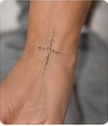
Upload your photo
Choose a sharp, well-lit photo showing the body area you are considering.
Upload your body photo, choose a tattoo style and create a realistic preview before making a permanent decision.
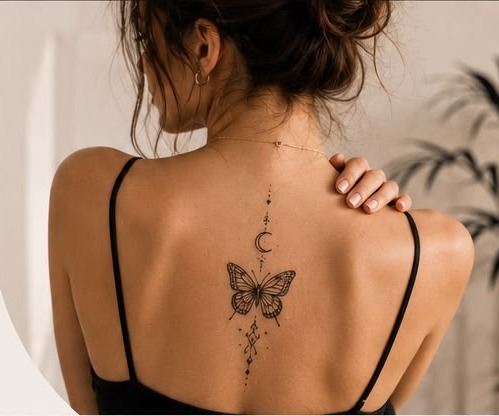
MyInkPreview keeps the studio at the center of the experience. Compare styles, placement and proportions before discussing the final design with a professional tattoo artist.
Choose a sharp, well-lit photo showing the body area you are considering.
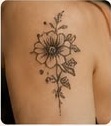
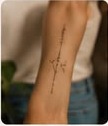
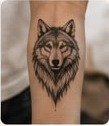
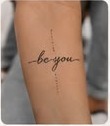
Select Fine Line, Floral, Minimalist, Lettering, Geometric, Animals and more.
Choose the body area, approximate size and, when available, an exact target position.
Review the visual result, compare options and download your preferred concept.
Start with a style, then customize the idea, placement, size and theme inside the studio.
These focused sections support the preview tool with original guides, ideas and practical planning information for people researching a tattoo.
Small, meaningful, matching and first-tattoo concepts that naturally lead into a preview.
Explore ideas → 02Fine Line, Floral, Minimalist, Lettering, Geometric and other visual directions.
Explore styles → 03Forearm, wrist, shoulder, ankle, thigh, back and other body-area considerations.
Explore placement → 04Butterfly, rose, moon, snake, lotus, phoenix and other symbolic tattoo subjects.
Explore meanings → 05Practical guidance for size, planning, placement and previewing a tattoo idea.
Read guides → 06Preparation, choosing an artist, better reference photos and first-tattoo planning.
Read tips → 07Names, dates, typography, Arabic lettering and horizontal versus vertical layouts.
Explore lettering → 08Christmas, Halloween, wedding, birthday, Valentine and zodiac inspiration.
Explore seasonal ideas → STUDIOTurn what you learn into a visual tattoo concept on your own body photo.
Start preview →The content structure brings visitors from Google and Pinterest into useful guides, then naturally into the preview workflow.
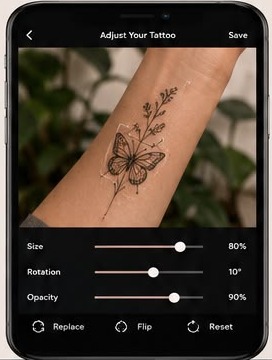
Tattoo placement is just as important as choosing the design itself. Where you place a tattoo changes how the artwork fits your body, how…
Read article →Choosing a tattoo design is only part of the process. Placement changes how the artwork sits on your body, how visible it feels in…
Read article →MyInkPreview is currently free to use within daily anti-abuse limits. Upload a photo, create your preview and download the result. No sign-in and no payment details are required.
Choose a clear body photo showing the area you want to preview.
Select a tattoo style, placement and size, then create the visual preview.
Save the result as a visual reference for your own planning or discussion with a tattoo artist.
MyInkPreview is a visualization tool. A professional tattoo artist should advise on final artwork, sizing, placement and execution.
Read full FAQ →Use a sharp, well-lit image where the intended skin area is clearly visible. Avoid strong filters and heavy blur.
Yes. Select a body area and use the exact-area selector when available to indicate the preferred location.
Yes. Always verify spelling, dates, translations and characters carefully before considering a permanent lettering tattoo.
No. Treat the preview as inspiration and a communication tool. Skin, anatomy, ink and technique all affect a real tattoo.
Use the studio to compare tattoo concepts before making a permanent decision.
Start Tattoo Preview